Free passport photos that meet the rules
Make a passport size photo for your country and print it, free in your browser.
Need a plain background first? Remove Background
- No sign-up
- Nothing uploaded
- 24 countries
Making photos for customers? Pro for businesses uses AI to crop, check and fix the background of every photo for you.

Three steps to a print sheet
Upload a photo
Choose your country, then any portrait from your device or phone.
Fit it
Crop and adjust the photo on the guide until it matches the official size.
Download or print
One photo, or a print sheet in any paper size, at full resolution. Ready in seconds.
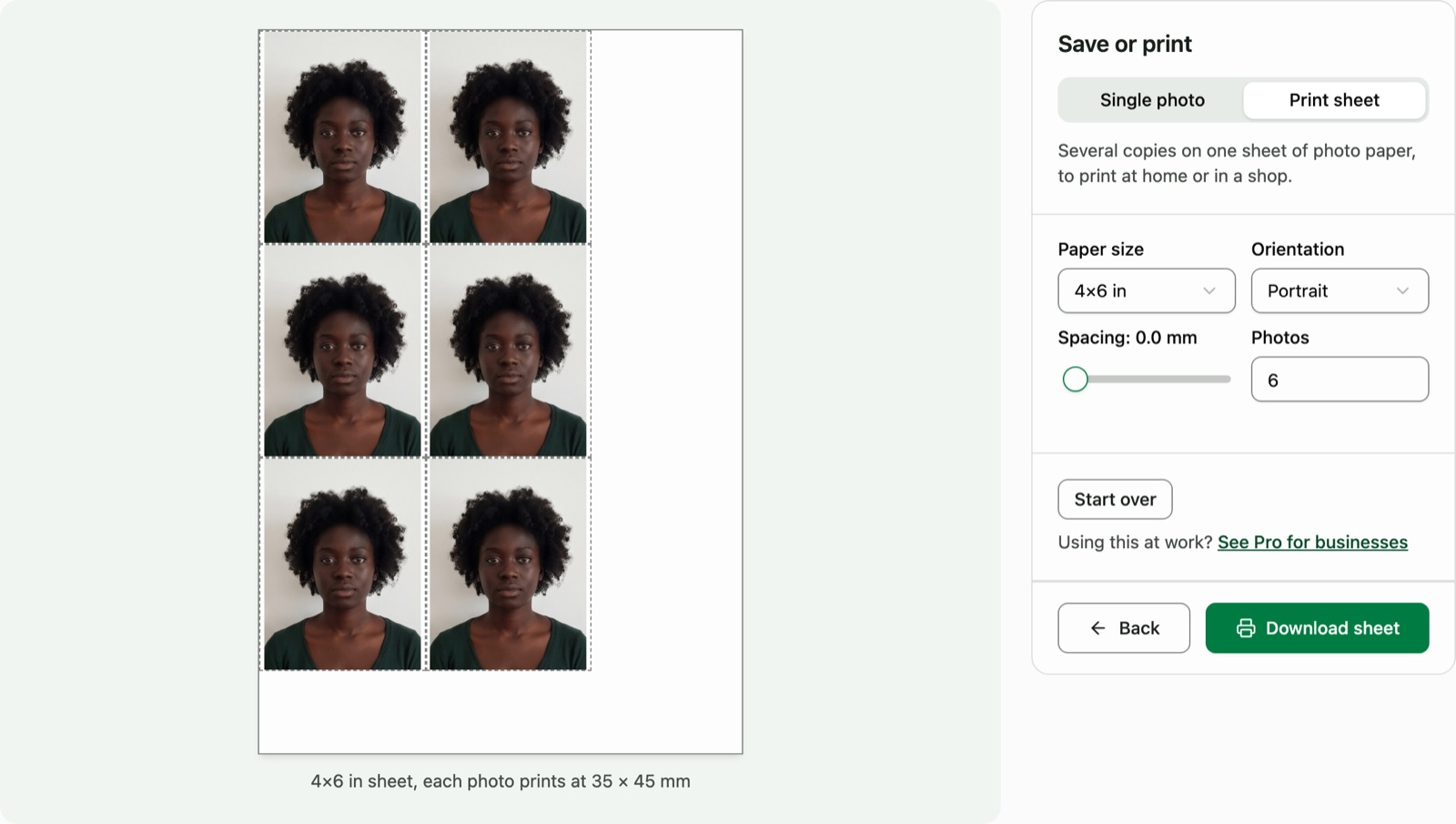
Passport and visa photos for 24 countries
Sizes and rules by country. Don't see yours? Request support
- Australia35×45 mm
- Brazil50×70 mm
- Cambodia - Visa / e-Visa35×45 mm
- Cambodia - Passport40×60 mm
- Canada50×70 mm
- China33×48 mm
- Finland - Print36×47 mm
- Finland - Digital upload500×653 px
- France35×45 mm
- Germany35×45 mm
- Greece40×60 mm
- India - Visa / OCI2×2 inch
- India - Passport35×45 mm
- Ireland35×45 mm
- Israel5×5 cm
- Italy35×45 mm
- Japan35×45 mm
- Laos40×60 mm
- Mexico35×45 mm
- Netherlands35×45 mm
- Poland35×45 mm
- Russia35×45 mm
- Schengen35×45 mm
- South Korea35×45 mm
- Spain26×32 mm
- Taiwan35×45 mm
- UK35×45 mm
- USA2×2 inch
Your photos never leave your device.
All processing happens in your browser. Nothing is uploaded, and nothing is stored on our servers.
Free for everyone. Faster for businesses.
The editor stays free. Pro is for stores and studios that make photos all day: it measures, checks and replaces the background to each country's official rules, so nothing is left to guesswork.
| Feature | Free | Pro |
|---|---|---|
| Countries | All 24, passport and visa, each with its size guide | All 24, passport and visa, each with its size guide |
| Fitting | By hand, on the country's guide | Auto-fit: AI measures the face and sizes it to the millimetre |
| Photo check | You check it against the guide | Checked against the rules before you print: ready, a quick fix, or retake |
| Background | Remove it yourself with Remove Background | AI swaps in the colour each country asks for, hair and all |
| Print sheets | Any paper size | Suggested for each photo size, with room to cut |
| Ads | Shown | None |
| Price | Free, always. No sign-up, no watermarks | 7 days free, then US$19 a month or US$190 a year. Nothing is charged unless you choose a plan |
| Start editing | Try Pro free |
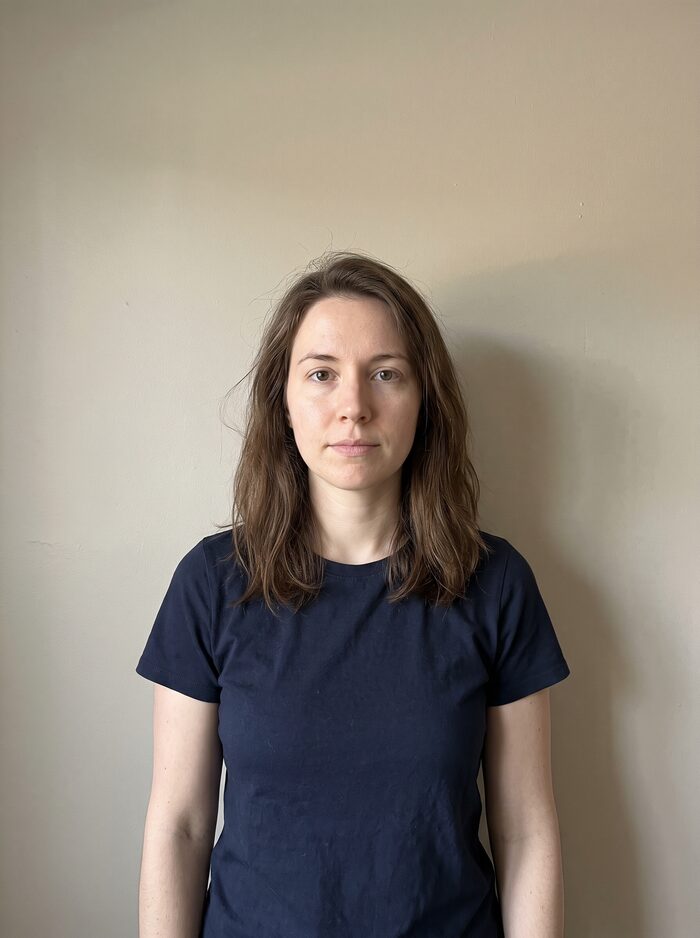
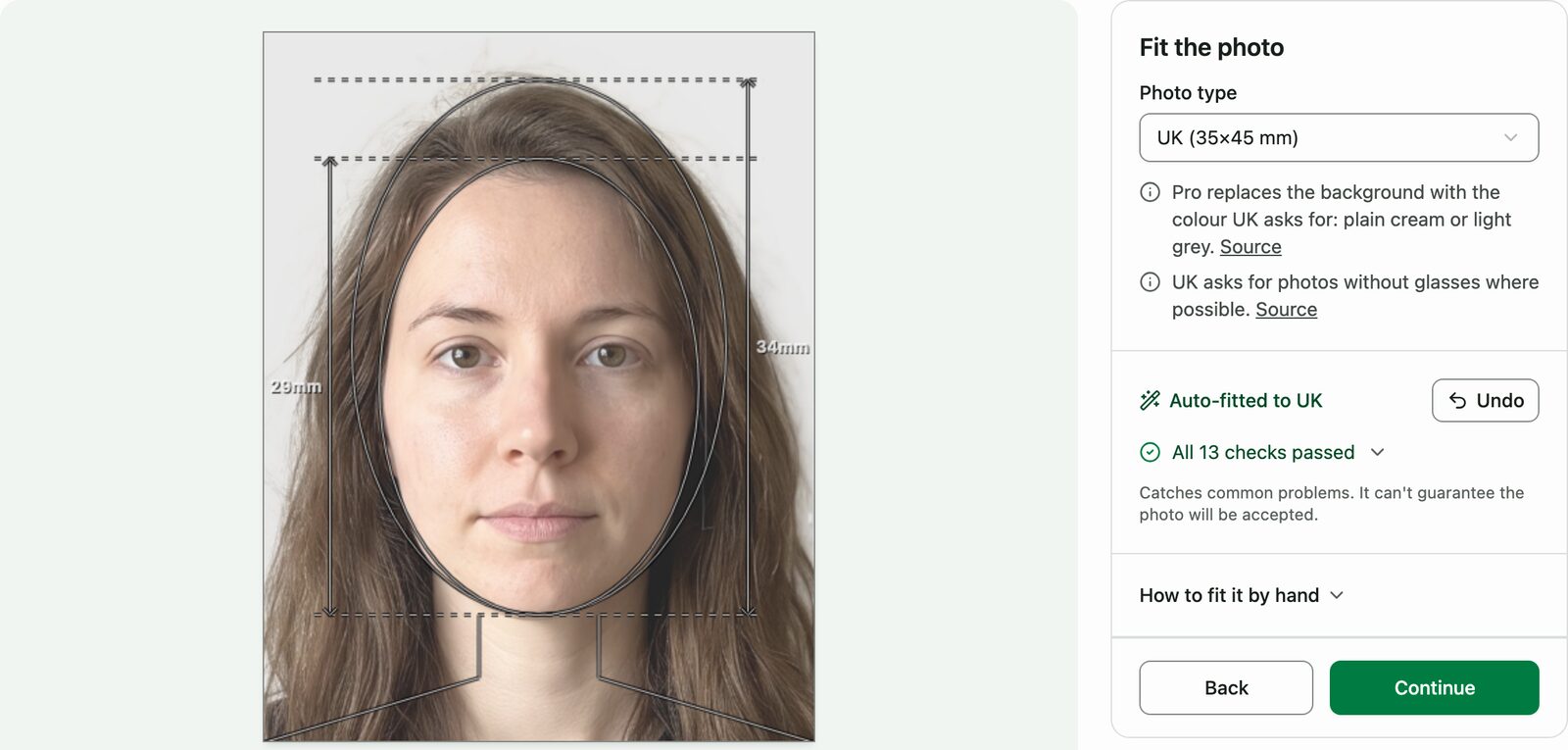
A phone photo, ready to print
Pro fitted this photo to the UK's rules, replaced the beige wall with the light grey the UK asks for, and checked it before printing.
Questions before you print
- Is this passport and visa photo generator free?
- Yes. Make the photo, then download it or a print sheet for free, with no watermark and no sign-up. It all runs in your browser, so your photo is never uploaded.
- How quickly will my photos be processed?
- All photo processing happens instantly in your browser. There's no waiting time.
- Which countries are supported?
- Passport and visa photos for Australia, Brazil, Cambodia, Canada, China, Finland, France, Germany, Greece, India, Ireland, Israel, Italy, Japan, Laos, Mexico, Netherlands, Poland, Russia, Schengen, South Korea, Spain, Taiwan, UK, and USA. Don't see your country? Request support here.
- Is there a limit to how many photos I can process?
- No, there's no limit. You can process as many photos as you need.
- Is my photo saved or stored on your servers?
- No, all processing happens locally in your browser. We never store or save your photos.
- On iPhone, how do I save the photo to my Photos?
- Tap the Share button (next to Download) and choose Save Image to send it straight to your Photos. A regular download on iPhone saves to the Files app's Downloads folder instead of Photos.
- Use a plain background
- Take your photo against a plain white or light-coloured wall in good lighting conditions.
- Keep your face clear
- Make sure your face is clearly visible, with both eyes open and a neutral expression.
- Remove accessories
- Take off glasses, hats and other accessories, unless worn for religious reasons.
- Check requirements
- Check your country's passport photo requirements before submitting.
Your photo, free, in a minute
24 countries, no sign-up, and nothing leaves your device.